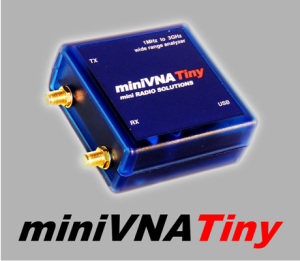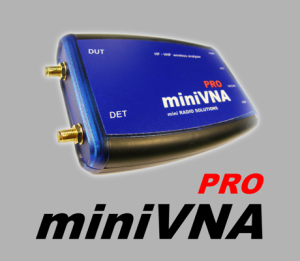
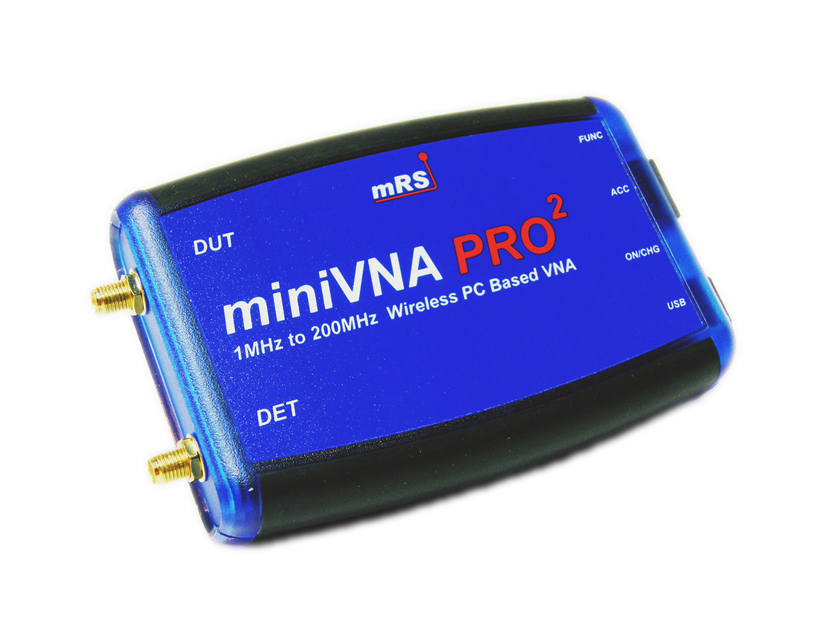
HF-VHF Antenna analyzer 0.1-180 MHz (miniVNA)
USB connection
NO external power
Filters measurement


Based on our experience with the well accepted iw3hev_analyzer we developed
a new version especially for radio amateurs, which now handles also VHF.
The so called "miniVNA" is connected to and powered from the USB-Port of a PC/Laptop.
We added a feedback connector to enable filter, trap or gain measurements.
This equipment will help to control antenna designs and installations graphically.

Send your intention to order via the email link below.
 
../../../../minivna.pdf http://linux.softpedia.com/get/System/Networking/Gnome-Vector-Network-Analyzer-4594.shtml ../../../../manual_minivna.pdf ../../Handleiding_miniVNA_150dpi.pdf ../../../../minivna1.0.nsb http://ac6la.com/zplots.html
Note for minivna with PDA


Click to see miniVNA group
Click here to join analyzer_iw3hev
Characteristics:

* Frequency coverage 0.1Mhz to 180MHz
* DDS Generator with 0 dBm output
* 2 Ports allow Transmission Measurements e.g. filters, traps
* USB1.1 and USB2 compatibility
* RS232 optional socket for Pocket PC`s or Remote Displays
* Fast Scan (typical 0.6 sec for 500 points)
* Use of an internal Industrial Directional Coupler
* High Reflection Dynamic Range 40dB to 35dB (VSWR 1.06:1 or better)
* Wide Transmission Dynamic Range > 50-55dB
* Measures VSWR, RL, Rs, Z +/-jx, Phase, Cable lenght, R/L/C
* Finds Minimum VSWR automatically
* New transparent box with LED indicators for the operation status
* In-Circuit-Programming for future firmware onboard CPU upgrades
* Operation from 3.6V Phone Batteries possible (current drawn <150mA)
* Software compatible with Windows and Linux operating systems.
* Save and Load of previous measurements
* Software for Pocket PC available
Reflection mode, 20 M antenna
The same antenna with N2PK VNA
TO BUY the miniVNA
outside of Italy please contact WiMo
Minivna owners can place their location here in the map using

I just input some Serial number as an example, feel free to add your call sign
Thanks to Dan- AC6LA the new version of Zplots (http://ac6la.com/zplots.html) can read and control the miniVNA hardware, some additional futures to the original V229 are:

1. Smith chart
2. Resolving the X sign graphically
3. Controlling the single frequency mode
4. Setup from the control panel
5. Several additional information usually available in the Zplots program

You can download Zplots+ from http://ac6la.com/Zplots+.zip
Before running the software file on the PDA (Windows CE) you have to install the runtime from NSBASIC.
Its name is RuntimeFat.ppc.exe and is available from
<ttp://www.nsbasic.com/ce/support/downloads.html>
After installing it on the pocket PC the minivna1.0.nsb should run, this is a basic version where the scan is fixed from 1 to 180 MHz and there is only the MINSWR display function. The connection is via RS232 so cable must be added from PCB to DB9-COM and external 3.6 VDC power is required (3 x1.2 Volt NICD).

RS232 Cable

J4/NiniVNA - DB9/PC

1 - 5
2 - 2
3 - 3
ZPLOTS+  miniVNA
Installation note for the miniVNA windows software after V230 release

- Download the VCP driver (chip type FT232B) from the ftdi web site according your operative system:
Win 2000/XP
http://www.ftdichip.com/Drivers/CDM/Win2000/CDM%202.00.00.zip

Windows 98/ME
http://www.ftdichip.com/Drivers/VCP/Win98/R10906.zip

- Download the latest analyzer software package from here
- Run the setup from the package after unzip it.
- Follow the setup instruction.
- Plug the miniVNA to the usb pc-port.
- New usb hardware will be detected
- Install the ftdi driver
- Run the installed miniVNA analyzer software from START (ANTENNA NETWORK ANALYZER)
- Select the Configure menu, AutoDetect the COM port and SAVE.
- After all above press the button "Run". Now the usb-leds on the analyzer should blink.


LINUX VERSION FROM HERE
 
miniVNA
HF VHF Antenna analyzer

New software for miniVNA V230 click here to download


PDF INTRO V230
 
ITALIAN CUSTOMER CAN CONTACT
North America customer can contact :